Laundry guide · Updated August 25, 2026
Know what has been worn and what needs washing.
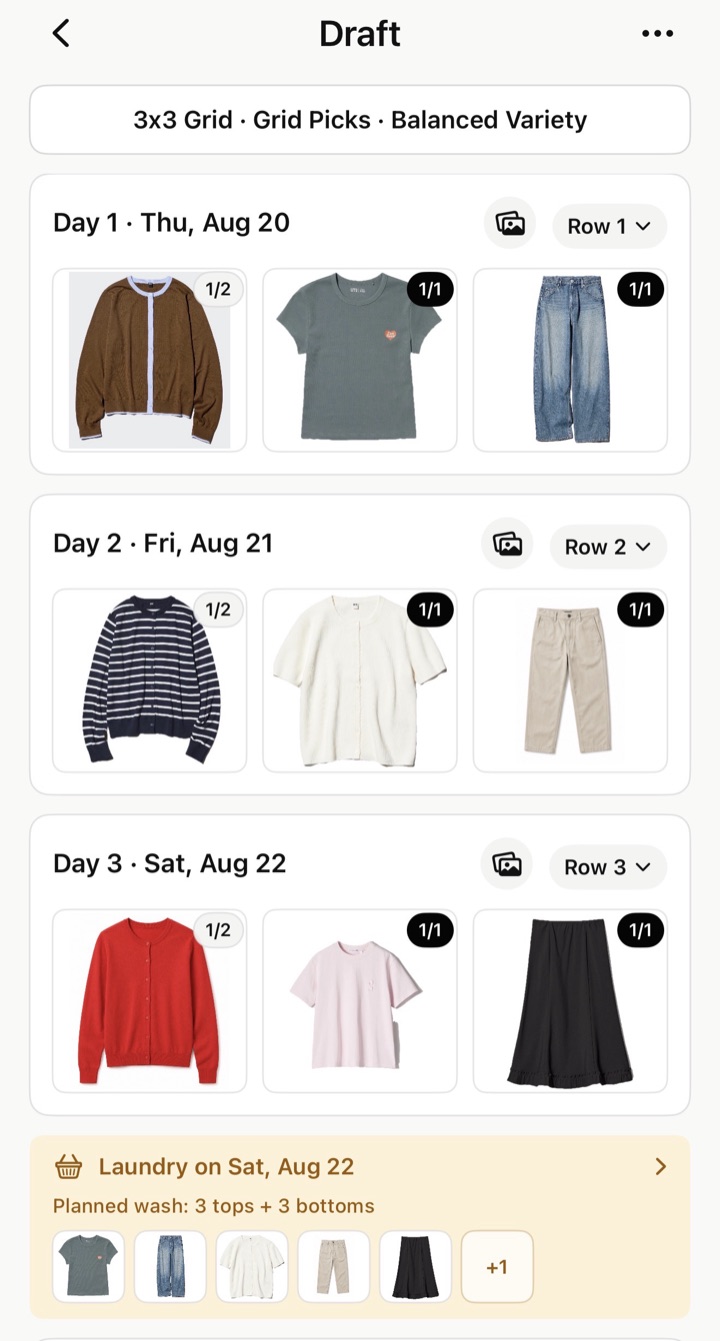
Suda Packing projects how many times each item will have been worn by the end of a trip day. It compares that number with the item's wear limit and connects the result to planned laundry.
Read the badge
What does 1/2 mean?
1/2 means the item will have been worn once by the end of that day, and its wear limit is two. The first number is the projected wear count. The second number is the number of wears allowed before washing.
If you mark the item washed before that outfit, its badge on that day remains 1/2 because wearing it that day counts as the first wear after washing. Earlier dates do not change.
Two different settings
Wear count is calculated. Wear limit is chosen.
| Term | Meaning | Example |
|---|---|---|
| Wear count | How many times the item is projected to have been worn since its last wash, including the selected day | 2 in a 2/3 badge |
| Wear limit | How many wears the user allows before the item must be washed | 3 in a 2/3 badge |
| Over the limit | The plan uses the item more times than the chosen limit before a reset | 3/2, shown with a warning |
Changing a wear count does not change the wear limit. Wear limits are edited separately in Laundry Settings.
Laundry sections
Each laundry card explains why an item appears.
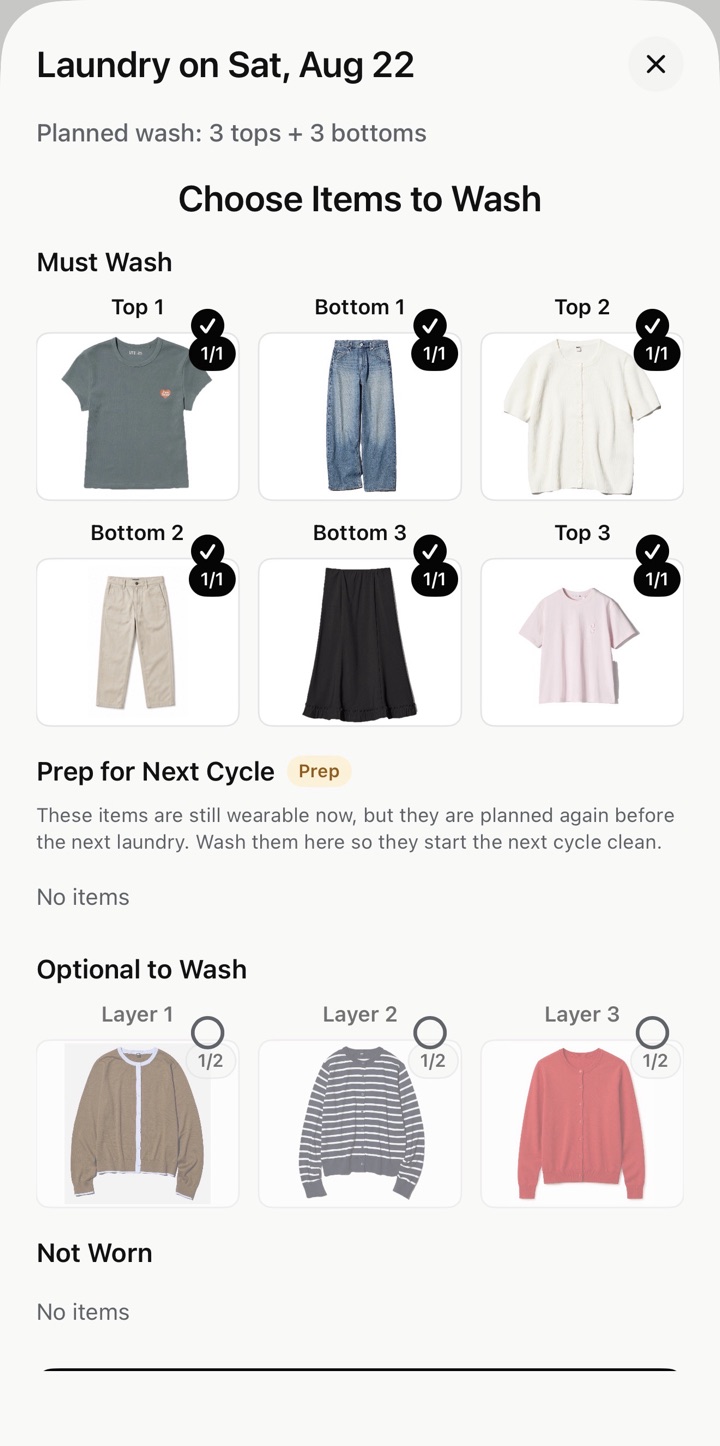
- Must Wash: the item reached or exceeded its wear limit.
- Prep for Next Cycle: the item is still wearable now but is planned again soon, so washing it keeps the next cycle valid.
- Optional to Wash: the item has been worn but remains below its wear limit.
- Not Worn: the item has zero projected wears in that cycle.
What changes the calculation
Future guidance follows the outfit plan.
Outfit worn
The item's projected count increases on the day it appears.
Laundry reset
Planned laundry assumes Must Wash items are cleaned. Confirmed laundry resets only the items the user selects.
Plan changed
Replacing a future outfit recalculates affected counts, wash categories, and guidance from that point forward.
Warnings
Suda can show an outfit even when an item exceeds its limit.
When no wear-safe combination is available, Suda Packing continues the plan and marks exceeded items with a warning instead of leaving the day blank. The warning is not an automatic approval to over-wear the item.
Resolve it by changing the outfit, planning a wash before that date, or explicitly allowing an extra wear. An exceeded item is placed in Must Wash at the next laundry.
Why can't I reset a 1/x count to zero?
That day is the first wear after any wash. Because the item is worn in that day's outfit, the end-of-day count is one, not zero.
Does planned laundry wash all nine items?
No. The plan focuses on items that reached their limit or need preparation. The user chooses what was actually washed when confirming laundry.
What happens if I confirm only some items?
Only the selected items reset. Unselected items keep their existing wear history, which can affect future availability and warnings.
Are reminder notifications automatic?
Plus users can enable local laundry reminders. Notification permission and the selected reminder time control whether iOS displays them.
Continue
Build the outfits before calculating the wears.
See how the 3x3 method creates structured outfit paths, or learn the complete travel-planning workflow.